
Orders
The list of all partner orders: taxi, delivery, intercity (if the module is enabled). Here you view history, filter and open an order card. In the menu: Orders («Заказы»).
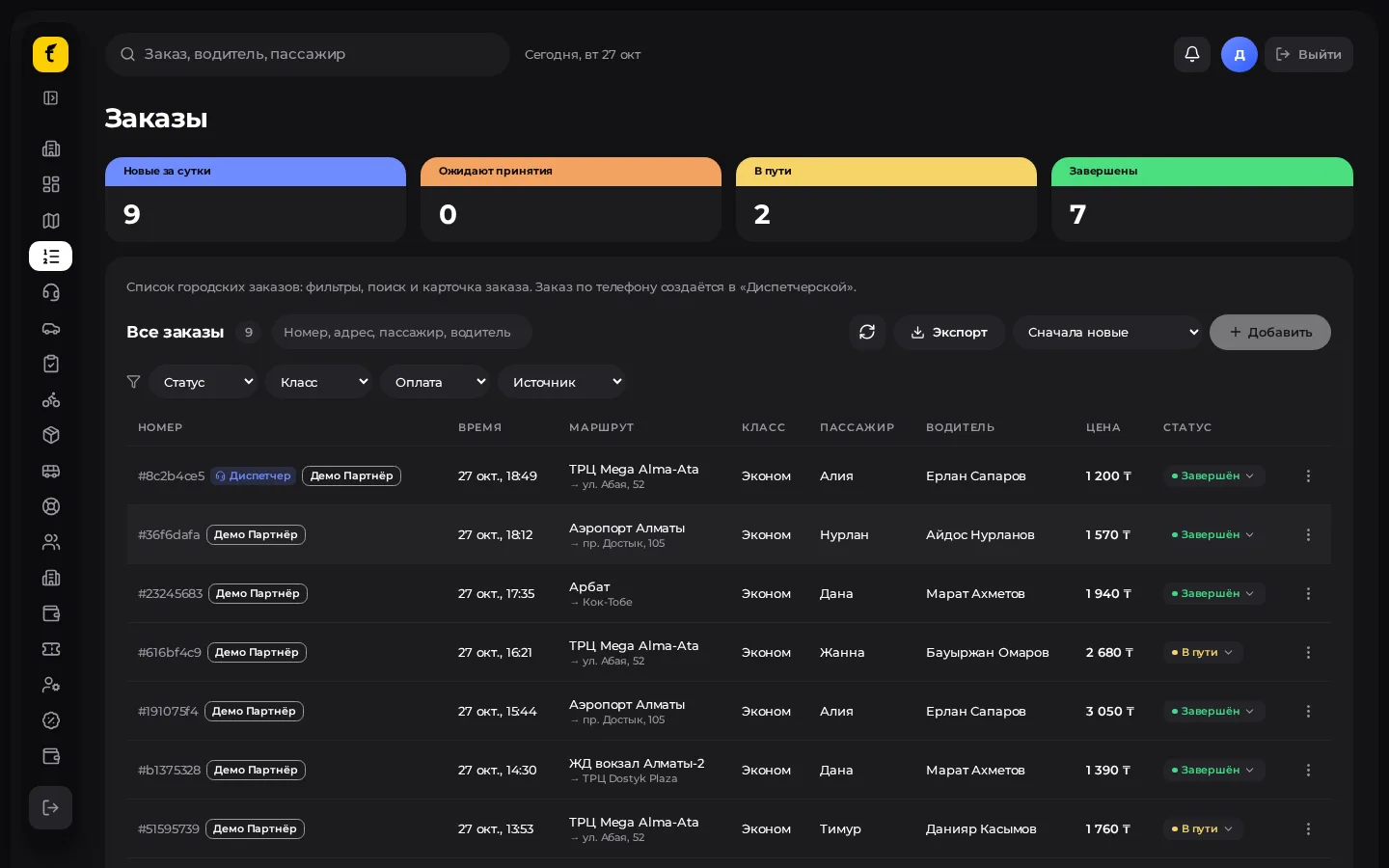
Opening and finding an order
- Menu → Orders («Заказы»).
- Set the filters: period, status, class, source (app / dispatcher).
- Type an order number, a name or part of an address in the search.
- Click a row to open the order card (side panel).
What the card shows
- Route (A → B), class, price, payment.
- Passenger and driver (links to their cards, if you have access).
- Status and event feed (created, offered, accepted, cancelled…).
- Source: an order from the app or from a dispatcher («Диспетчер»).
- Actions allowed by your role: cancel, reassign (often via Dispatch).
Statuses (city guideline)
| Status | Meaning |
|---|---|
| Searching («Поиск» / «Ищем») | A driver is being matched |
| Assigned («Назначен») | The driver accepted |
| On the way / Arrived («Едет» / «На месте») | Pickup |
| In progress («В пути») | Passenger or parcel en route |
| Completed («Завершён») | Successful |
| Cancelled («Отменён») | Cancelled by the customer, driver or operator |
For delivery, statuses also include "picked up" / "delivered" — see Delivery.
Link to Dispatch
Orders created by an operator are marked with the source "Dispatcher" and also appear in the live feed of Dispatch. History and reports are easier to review here, in Orders.
Shift practice
- At the start of a shift open the "active" / "in progress" filter.
- For problem orders (long search, driver refusal) go back to Dispatch.
- For a customer complaint, find the order by number and keep the number in case you need to contact platform support.