
Settings
Partner cabinet parameters and operational settings that affect dispatching and staff.
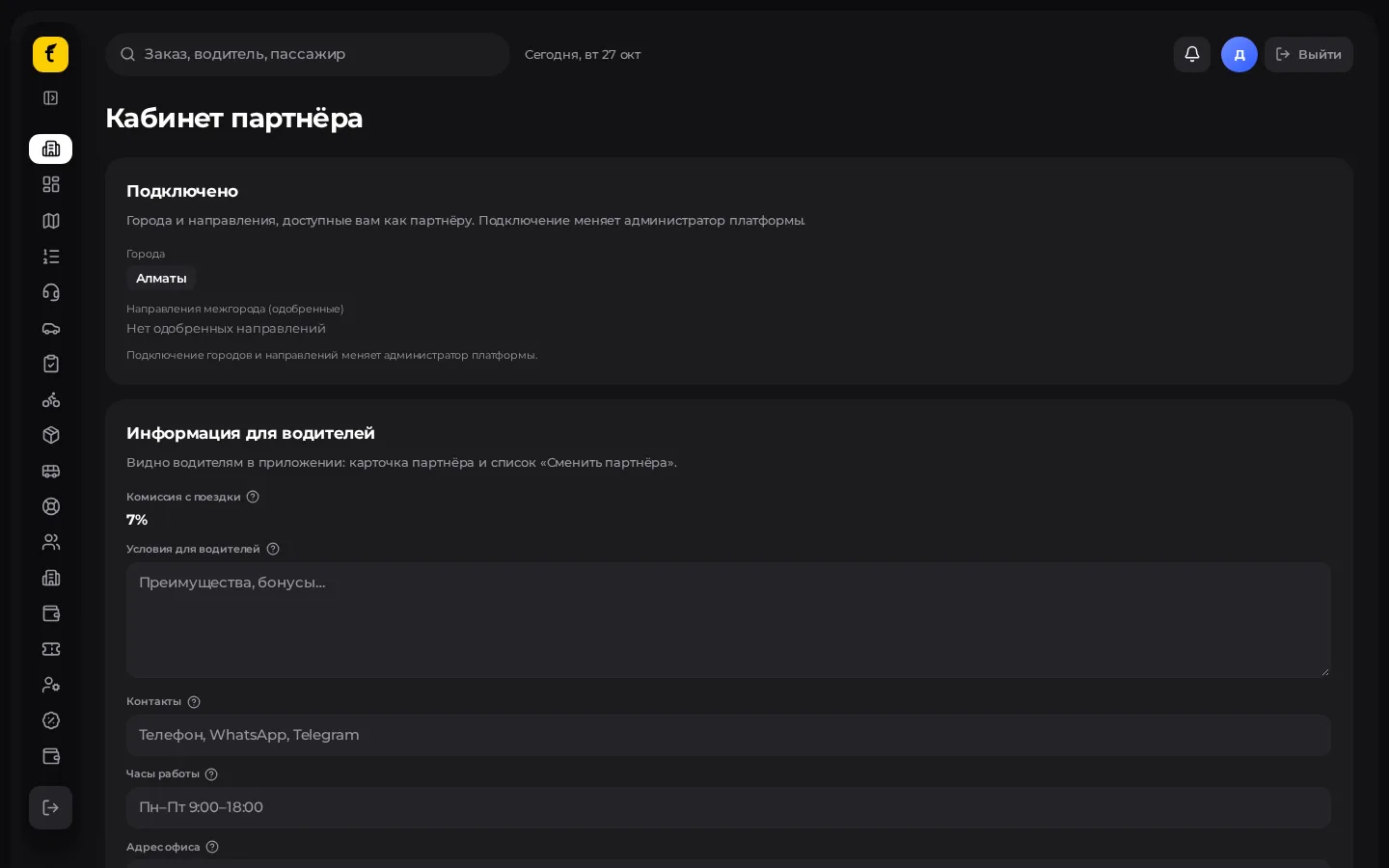
What the partner usually configures
The screen depends on your role and modules. Typically:
| Block | Purpose |
|---|---|
| Partner profile / cabinet («Кабинет партнёра») | Legal entity, cities, billing contacts |
| Partner staff («Сотрудники партнёра») | Administrator and dispatcher accounts |
| Order distribution | Offer timeouts, search radii, dispatcher safety net |
| Notifications / sounds | Shift alerts in Dispatch |
| Local preferences | Interface language (if available), default city |
Platform-wide system settings (server, global network tariffs) are not available to the partner — they belong to the super admin.
Staff: step by step
- Open Partner staff («Сотрудники партнёра»).
- Add an employee: name, login (email), role (administrator / dispatcher / other).
- Send the password through a secure channel; ask them to change it on first sign-in if your policy requires it.
- Check that the dispatcher sees only the sections they need.
- When someone leaves — disable or delete the account right away.
Order distribution (if available)
These parameters affect auto-search in the city:
- Offer timeout for the driver (seconds).
- Starting and maximum search radius, expansion step.
- Scoring weights (ETA, rating, etc.) — change them deliberately.
- Order chains — if enabled.
- Dispatcher safety-net time: how long to wait for a decision after a driver refuses before switching to auto-search.
After saving, place a test order in Dispatch.
Sounds and shifts
Turn on sound alerts for driver refusals / new orders so the shift doesn't miss stuck assignments.
What is not here
- Franchise fee amounts and legal annexes — only in the contract.
- Managing other partners and the global server.
- Passenger app settings for the whole network.
Next: FAQ · Quick start