
Tariffs
Taxi class prices in the partner's city: pickup, per kilometre, per minute, minimum. Without the partner's own price, a class uses the platform tariff.
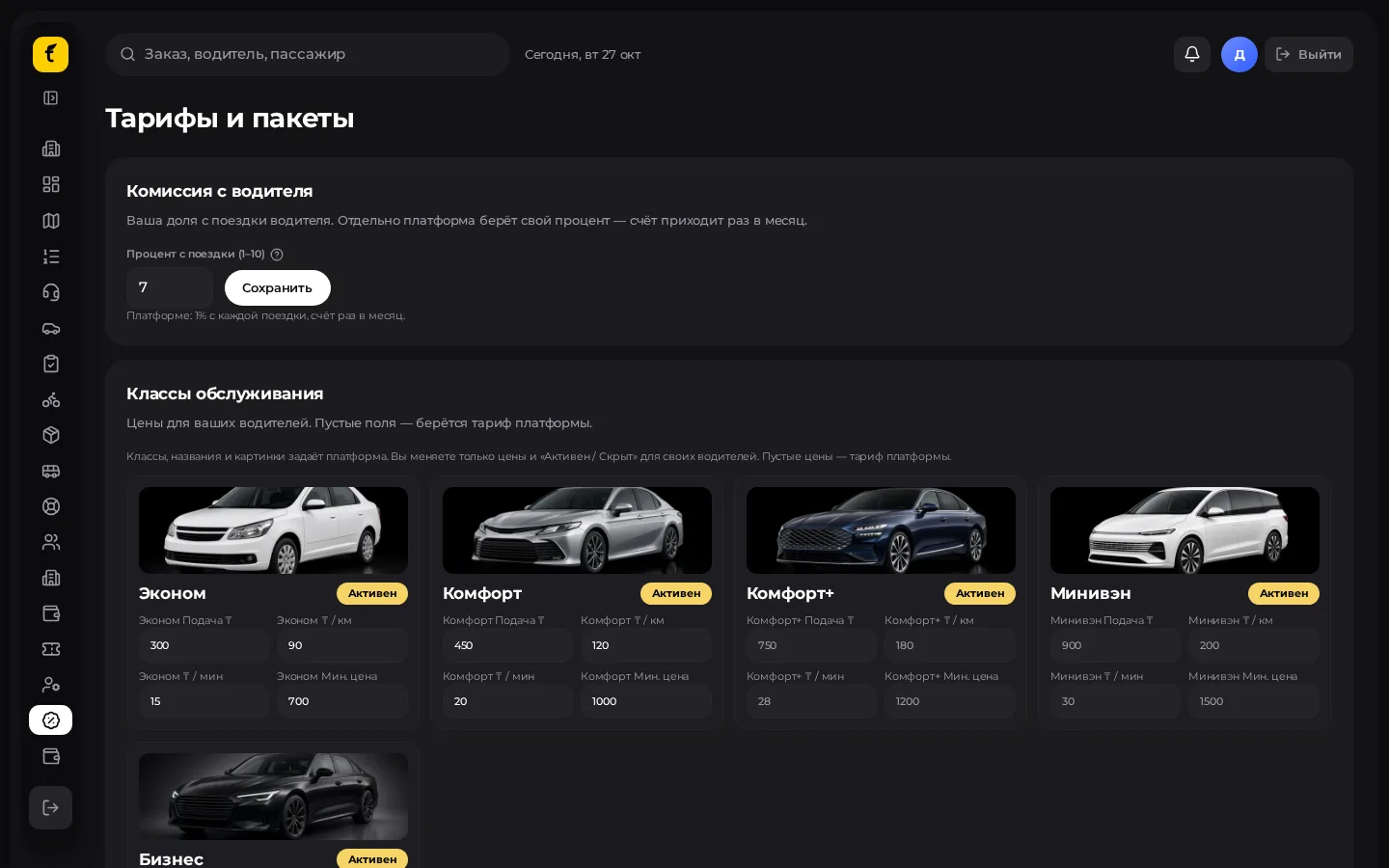
Opening the section
Menu → Tariffs and packages («Тарифы и пакеты»). Partners have their own screen with class cards.
Setting up a class: step by step
- Find the class card (economy, comfort, business, minivan, etc.).
- The class picture and name are set by the platform — the partner does not change them.
- Enter your values:
- Pickup («Подача»), ₸
- ₸ / km
- ₸ / min
- Minimum price («Минимальная цена»)
- Use the Active / Hidden («Активен / Скрыт») switch to decide whether passengers in your city see the class.
- Save the changes.
Already enabled class
Often the partner can only change prices of a saved class and cannot switch it off as freely as the super admin. If a class can't be removed, use Hidden («Скрыт») or contact the platform.
Partner commission from drivers
The same settings block usually holds the partner commission percentage on drivers' rides. This is the partner's internal deduction, separate from the platform royalty.
- Enter the percentage.
- Save.
- Check the effect on a test ride and in finance.
Demand zones (if available)
Some cabinets allow multipliers by polygon (rush hour / district). If Map and demand zones («Карта и зоны спроса») is in the menu:
- Draw a zone on the map.
- Set the multiplier and whether it is active.
- Save. The multiplier affects the price, not the order in which drivers are chosen.
Checklist before launching a city
- All needed classes are active and prices are filled in.
- Minimum ≥ pickup (otherwise the app shows odd estimates).
- Classes the partner doesn't have are hidden.
- The partner commission is agreed with the drivers.
- Packages are up to date — Packages.