
Dispatch
The section for shift operators: map, live orders, creating an order from a call and manual driver assignment. In the menu: Dispatch («Диспетчерская»).
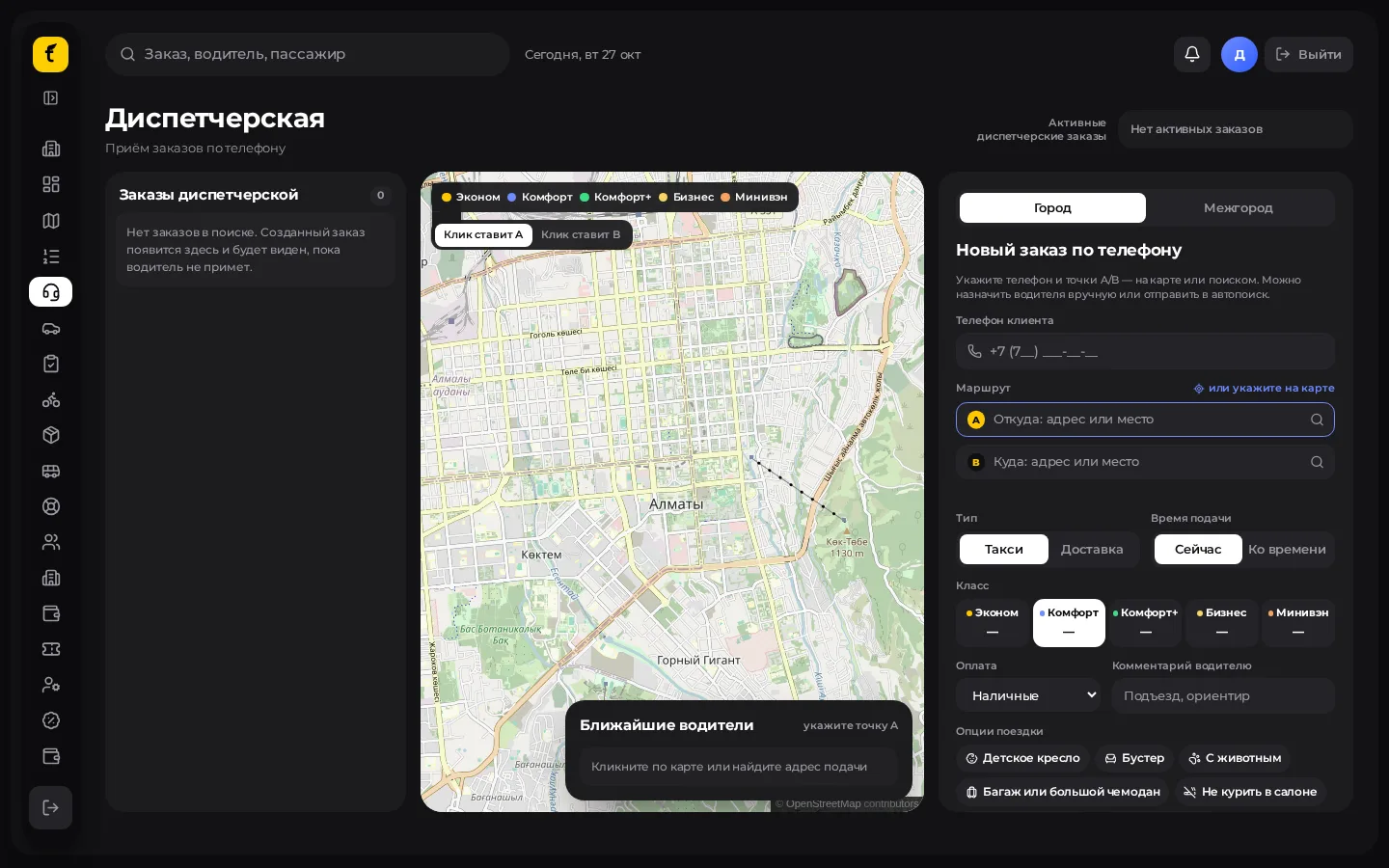
When to use it
- A customer calls the partner instead of ordering in the app.
- You need to pick a specific driver manually.
- The driver declined / didn't respond — a new offer or auto-search is needed.
- Switching between city orders and intercity (if the module is enabled).
Step by step: create a city order
- Open Dispatch («Диспетчерская») in the menu.
- Make sure the City («Город») mode is selected (not Intercity «Межгород»).
- Start a new order.
- Enter from and to (address search or a point on the map).
- Choose the type: Taxi («Такси») or Delivery («Доставка»).
- Choose the car class / parcel class and the payment method.
- If needed, enter the passenger (name) and a comment for the driver.
- Decide how to assign a driver:
- Auto-search («Автопоиск») — the system offers the order to the nearest suitable drivers;
- Manual («Вручную») — pick a driver from the list on the map / in the panel.
- Confirm. The order appears in the dispatch feed and in Orders.
Manual assignment and driver refusal
- Select the order in the list on the left (or on the map).
- Assign a driver → the driver receives the offer in the app.
- If the driver declined or didn't respond:
- the order stays with the dispatcher without a driver (it does not go to auto-search right away);
- the Assign another («Назначить другого») and Auto-assign («Автоназначение») buttons are available.
- If the dispatcher does nothing for a while, a safety net kicks in: the order goes to normal auto-search (the timeout is set in Settings).
Scheduled orders
- You can set a pickup time.
- A driver is usually assigned closer to pickup (about 15 minutes before); if assignment fails, the interface shows the exact rule.
Switching to intercity
In the header / mode switch choose Intercity («Межгород»). Then follow the scenarios in Intercity (trips, requests, seats).
Useful on-screen signals
| Indicator | Meaning |
|---|---|
| Searching / Auto-search («Ищем» / «Автопоиск») | A driver is being matched |
| Offered («Предложен») | The driver received the offer |
| Driver declined / didn't respond («Водитель отказался / не ответил») | The dispatcher must decide |
| Scheduled («Ко времени») | The order is planned for later |
Common mistakes
- Wrong city on the map — check the partner's city / the city switch if you have several cities.
- Assigned a busy driver — wait for a response or choose another.
- Cancelled an almost finished order — after certain statuses cancellation is restricted.