
Packages
Ride packages that the partner sells to drivers (city and/or intercity). The driver pays the partner for the package; the platform commission on such sales is shown in finance.
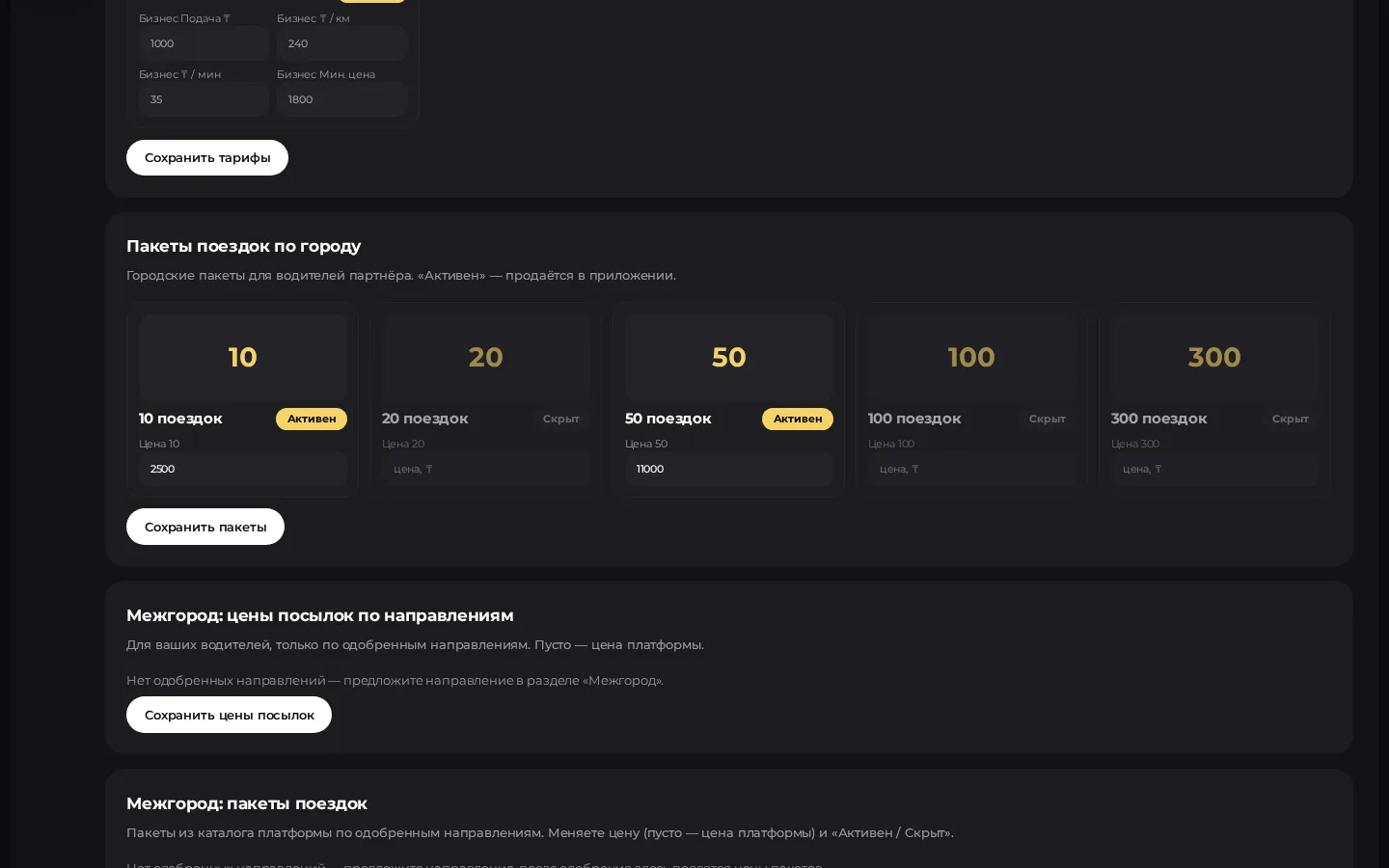
Where to set them up
In the partner cabinet, packages are usually in Tariffs and packages («Тарифы и пакеты») or in a separate Ride packages («Пакеты поездок») item, depending on the module menu. The logic below is the same for both.
City packages: step by step
- Open the package editor.
- For the standard sizes (e.g. 10 / 20 / 50 / 100 / 300 rides) enter the price in ₸.
- Turn on for sale («продаётся») if the package should be available to drivers.
- Click Save packages («Сохранить пакеты»).
- Check in the driver app (or with a test account) that the package is visible.
Saved packages
As a rule, the partner does not delete a package once created — you can change the price and the "for sale" flag. The interface will tell you the exact behaviour if the price is empty.
Intercity packages
If the intercity module is enabled:
- Create or choose intercity package types.
- For each package × route pair set the price and whether it is active.
- On the driver card, assign / check the available route packages if needed.
More on trips — Intercity.
Link to tariffs and finance
- The passenger's ride price is set in Tariffs; a package is the driver's prepayment for the right to do rides under the partner's rules.
- The finance summary shows how many packages were sold in the period and what share goes to the platform commission.
Practice
- Don't overprice packages without a pilot on 1–2 sizes.
- Keep package prices in line with the partner's commission from drivers.
- Before a promotion, change only the sizes you need and turn off "for sale" on outdated ones.